

The 12 Best Browser Extensions You Can Have in 2016
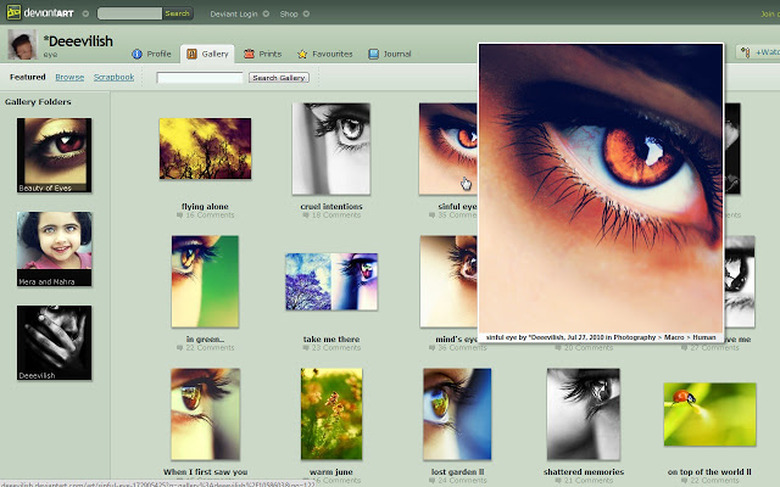
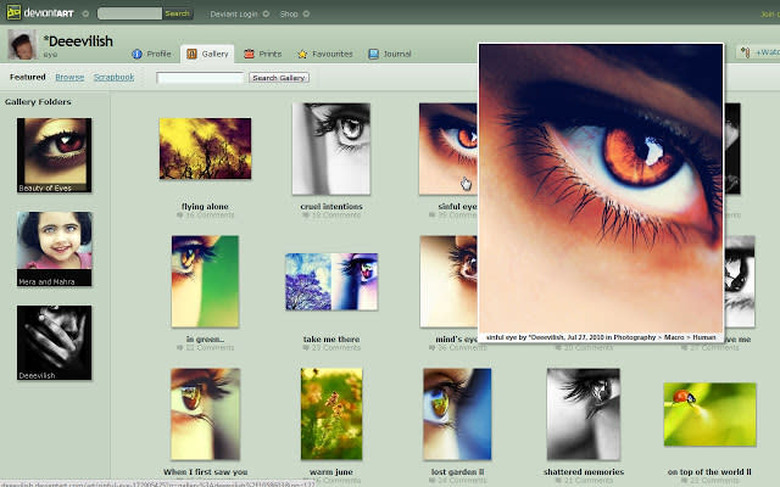
HoverZoom screenshot obtained from Chrome Web Store.
The internet is pretty great, but the way we browse it can always be improved. Today's browsers have become sophisticated vehicles for exploring the web, but sometimes, even those advanced features aren't enough to meet all our productivity, efficiency, and entertainment needs. That's why we need browser extensions to enhance the experience. However, with so many on the market, it's hard to know what the best choices are.
Here are 12 of my personal favorites:
1. Gestures. Gestures is a valuable extension for Chrome that enables users to customize their own "shortcuts" using gestures like keystrokes and mouse movements. For example, you might associate the gesture of flicking your mouse back and forth with closing a tab, saving you time in the long run.
2. Shopsta. Shopsta is an extension dedicated to making the process of online shopping easier for the consumer. Whenever you perform a search for a given product, the Shopsta extension kicks in and displays information on a number of pre-determined factors—such as shipping policies and potential discounts—to give you more immediate information and lead you to a better decision.
3. HoverZoom. HoverZoom is a pretty simple extension, but you'll be amazed at what a difference it can make for your online experience. The concept is to enlarge thumbnail images whenever your mouse hovers over them. This prevents you from needing to open up every image you come across, and gives you a richer online experience.
4. Readability. You can probably guess Readability's main intention from seeing the name alone. It's an extension designed to help make on-page text more readable for users. On a surface level, the extension converts webpages to a more immediately readable format, but beyond that, it allows users to store pages with a "read later" option.
5. Momentum. Momentum is all about increasing user productivity by utilizing the tabs you keep when browsing the web. With Momentum, you'll customize your own "new tab" page as a kind of personal dashboard, allowing you to integrate items like the time, date, a list of to-dos, or even an image as a source of inspiration.
6. Any.do. Any.do is both an app and a browser extension. It's designed to make creating, managing, and sharing to-do lists easier, enabling users to create, add, and manage synced to-do items across multiple devices at once. Once you start using it, there's no going back.
7. AdBlock. AdBlock has existed in a handful of different forms, but it remains one of the most popular browser extensions of all time—and for good reason. With AdBlock, you can selectively filter out almost any popup or advertisement you encounter on the web. If you don't already have this installed, you need to get it immediately.
8. TabCloud. TabCloud is the perfect browser extension for the web user with a need for multiple open tabs at once. Let's say you've got 20 tabs open for a research project, and you're about to switch from your laptop to your tablet. TabCloud allows you to sync your current open tabs so you can pull them up for later use, or access them from another device.
9. StayFocusd. StayFocusd is another extension that skyrocketed in popularity when it first came onto the scene. Essentially, it limits the amount of time you can spend on typical time-wasting websites, such as Facebook or Reddit. It's fully customizable so you can set it to manage any websites you want.
10. LastPass. LastPass was designed to make the process of managing and using passwords easier. It helps you keep track of all your online passwords, and can also help you generate random passwords if you need stronger security. It can also help you fill out forms automatically with its auto-fill feature.
11. Feedly. Feedly is one of the world's most popular RRS feeds and blog readers, and its extension aims to improve that user experience even further. It's an excellent way to manage how you consume content on the internet, allowing you to flag pages for later and manage your reading lists.
12. Honey. Honey is a relatively new browser extension designed for the average online shopper. It automatically looks for and applies coupon codes for your online purchases, saving you money at every turn.
These browser extensions are just a handful of the thousands that are out there, and new ones are being developed all the time. You don't want to sacrifice browser performance by installing every extension you come across, but do take some time to fully explore what these extensions have to offer, and add the ones that can make your life easier.